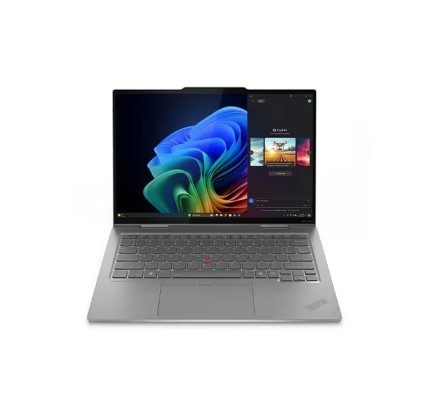
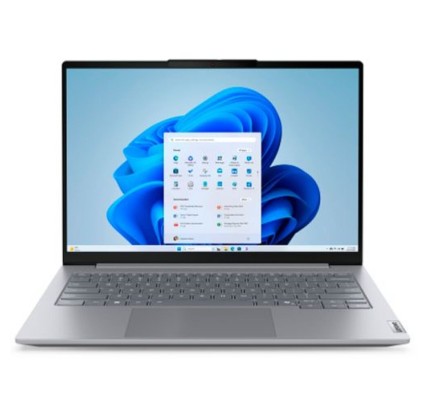
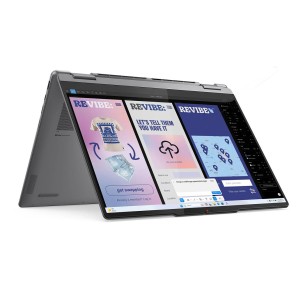
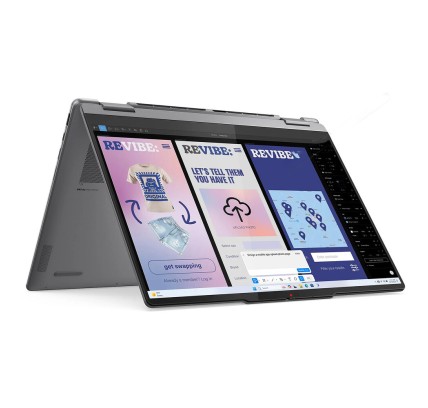
Refurbished 2-in-1 laptops: convertibles and detachables
2-in-1 laptops combine the productivity of a laptop with the comfort of a tablet: a touchscreen, flexible modes of use and a format designed for mobility. In this category you will find refurbished 2-in-1 laptops (subject to availability), including convertibles (a 360-degree hinge) and detachable models (a separable keyboard). To choose well, decide first how you are going to use them (classes, meetings, home or work), and then compare what is verifiable in each listing: CPU, RAM, SSD, diagonal, screen type, ports, keyboard and the stated warranty.
How to choose your 2-in-1 laptop
- Type of 2-in-1:
- 360-degree convertible: you do not separate the keyboard; you switch to tablet/tent/presentation mode by rotating the hinge. It usually feels more like a classic laptop.
- Detachable: screen plus a separable keyboard. Very comfortable as a tablet, but review the stability and connectivity in tablet mode (depending on model).
- Screen: choose the diagonal according to mobility and comfort. If you are going to write or edit a lot, a larger screen usually helps.
- Touch and pen: not all include a pen, and not all have the same support. If you need it for notes or drawing, verify the compatibility and whether it is included in the listing (depending on the product).
- CPU: for study and office software, an efficient CPU is usually enough; for multitasking or heavier apps, prioritise higher ranges (subject to availability).
- RAM: 8 GB can serve for the basics; 16 GB is usually the balanced point for multitasking; 32 GB or more if your software demands it.
- SSD: key for smoothness (start-up, opening apps). Set the capacity to your use (documents versus heavy projects).
- Ports: confirm USB (type A/C), the video output (HDMI/DP/USB-C with video, depending on model) and a card reader if you need one.
- Keyboard and trackpad: if you are going to type for long hours, review the size, the key travel and whether the keyboard is ES/US (as per the listing).
- Battery and charger: the real battery life varies by unit and use; review the stated condition and whether it includes an original or compatible charger (as per the listing).
2-in-1 laptops by use (choose quickly)
For students and note-taking (class, library, assignments)
If you want a machine for taking notes, doing assignments and travelling, prioritise weight, a comfortable screen and stable performance with an SSD. If you are going to write by hand, confirm that the screen is a touchscreen and that it supports a pen (where applicable). For video calls and submissions, also review the Wi-Fi, webcam and ports.
For mobility and meetings (presentations and hybrid work)
In meetings, the tent or presentation mode is very practical. Here the ports (projector/monitor), a reliable keyboard and a configuration that handles multitasking matter a great deal. If you use a dock/USB-C, check the compatibility and whether the machine supports video over USB-C (depending on model).
For the home (shared use and consuming content)
At home, a 2-in-1 brings flexibility: laptop mode for tasks and tablet mode for the sofa. Look for a screen you find comfortable and confirm there is enough storage. If several people are going to use the machine, a balanced model with suitable RAM helps avoid stalls with several apps open.
For light editing and creative work (photos, visual notes, sketches)
If you do light editing, prioritise more RAM and a capable CPU. The screen (size, brightness and resolution) can be decisive, but it should only be taken into account if the listing specifies it. If your work is demanding (heavy 3D/CAD), a 2-in-1 may fall short and a more powerful laptop or a workstation may suit you better (subject to availability).
For business and professional use (standardisation and reliability)
In business, the 2-in-1 can serve as a single machine for travel and the office. Review the keyboard, the connectivity, and whether you need specific features (a reader, particular ports and so on). With refurbished machines, the recommendation is to compare by listing and to standardise models where possible.
Benefits and confidence
- Real flexibility: a laptop plus a tablet in a single machine, ideal for mobility and changing settings.
- Buy by listing: with refurbished machines, each unit can vary in configuration and condition.
- Limited stock: variable availability and changes by batch/unit.
- Warranty: always check the warranty stated in the listing of the product.
Frequently asked questions
What is the difference between a convertible 2-in-1 and a detachable one?
The convertible uses a 360-degree hinge and keeps the keyboard attached; you change mode by rotating the screen. The detachable separates the keyboard and the screen, giving a more tablet-like experience. The choice depends on whether you prioritise typing a lot (convertible) or using it as a tablet frequently (detachable). Review the exact type in the listing.
Do all 2-in-1 laptops include a pen?
No. Some are compatible with a pen and others are not, and in any case it may not be included. If you need it for notes or drawing, verify the compatibility in the listing and whether the pen is included in the product contents (depending on the unit).
How much RAM do I need for study and multitasking?
For study and office software, 8 GB can be enough; 16 GB is usually the most balanced option for multitasking (a browser, video calls, documents, several apps). If you use editing or virtual machines, 32 GB or more can make sense. Decide according to your software and the machine listing.
Is it important for a 2-in-1 to have an SSD?
Yes: an SSD clearly improves the smoothness, the start-up times and the loading of programs. On machines designed for mobility, you notice it a great deal day to day. Set the capacity to your use and check in the listing whether the storage is an SSD, its size and whether there are upgrade options (depending on model).
Can I connect an external monitor or use a dock?
It depends on the ports of the machine (HDMI, DisplayPort or USB-C with video output, depending on model). For docks, it is worth confirming the compatibility and which ports it supports. Review the listing to see the video outputs and connectivity. If ports are missing, it may require adapters (depending on the configuration).
What should I look at regarding the keyboard (ES/US) and typing comfort?
Check the layout (ES with the N-tilde versus US without it) and the size of the keyboard. On some compact 2-in-1 machines, the key travel can be shorter. If typing is a priority, a convertible usually feels more like a laptop than a detachable does. Verify the type of keyboard in the listing where it is stated.
How do I find out the warranty and the real condition of the 2-in-1?
The reference is the specific product listing: that is where the condition/grade and the applicable warranty should appear (it can vary by unit). With refurbished machines, two similar units can differ in configuration or appearance. That is why it is worth comparing by listing and deciding on confirmed information.
You may also like