Filter

Price

Price

  • €29.00 - €35.00

Active filters

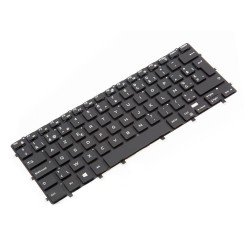
Teclado Dell 00Y78C Reacondicionado XPS 9300 9310 Negro Retroiluminado
      Teclado Dell 00Y78C reacondicionado. Distribución QWERTY inglés internacional (EEUU), retroiluminado, color negro. Compatible con Dell XPS 9300 y XPS 9310. Incluye código de pieza 00Y78C .
      €30.00Price
      Add To Compare
      Teclado Dell 00Y78C Reacondicionado XPS 9300 9310 Negro Retroiluminado
          Teclado Dell 00Y78C reacondicionado. Distribución QWERTY inglés internacional (EEUU), retroiluminado, color negro. Compatible con Dell XPS 9300 y XPS 9310. Incluye código de pieza 00Y78C .
          €30.00Price
          Add To Compare
              Add To Compare
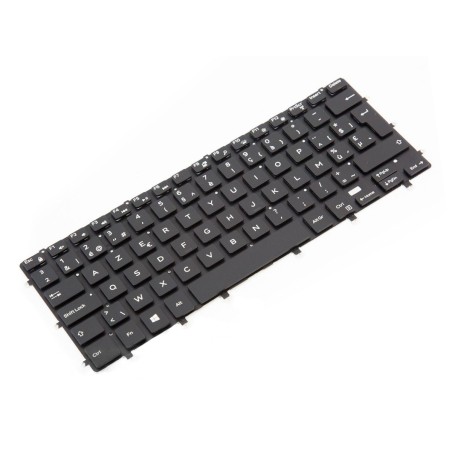
              Teclado Dell 0Y1G0F Belga AZERTY Retroiluminado Reacondicionado
                  Add To Compare
                  Teclado Dell 0Y1G0F Belga AZERTY Retroiluminado Reacondicionado
                      Teclado Dell 0Y1G0F reacondicionado. Distribución belga AZERTY con retroiluminación, en color negro. Compatible con Dell XPS 15 9550, 9560, Inspiron 7558, 7568. Código de pieza: 0Y1G0F .
                      €35.00Price
                      Add To Compare
                      Teclado Dell 0Y1G0F Belga AZERTY Retroiluminado Reacondicionado
                          Teclado Dell 0Y1G0F reacondicionado. Distribución belga AZERTY con retroiluminación, en color negro. Compatible con Dell XPS 15 9550, 9560, Inspiron 7558, 7568. Código de pieza: 0Y1G0F .
                          €35.00Price
                          Add To Compare
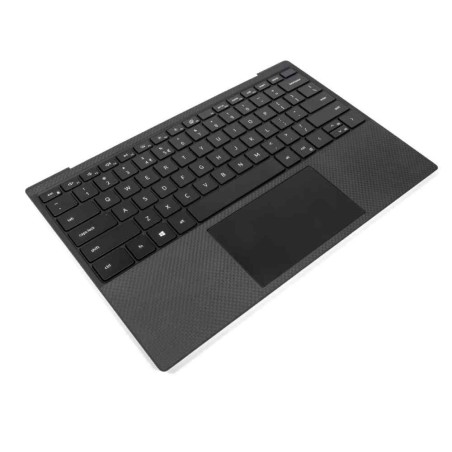
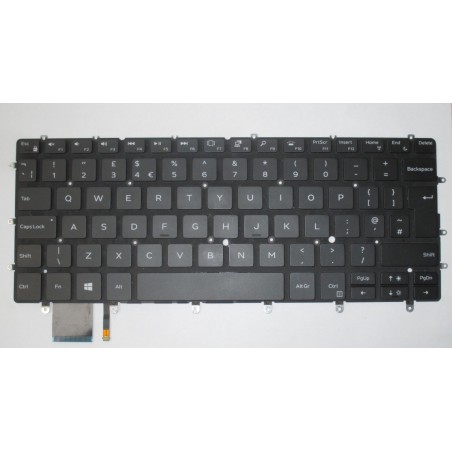
                          Teclado Dell 082FHM Inglés UK QWERTY Retroiluminado para XPS 13
                              Add To Compare
                              Teclado Dell 082FHM Inglés UK QWERTY Retroiluminado para XPS 13
                                  Teclado Dell 082FHM reacondicionado. Distribución inglesa UK (QWERTY) retroiluminado. Compatible con Dell XPS 13 7390, 9370, 9380. Color negro. Incluye el código de pieza 082FHM .
                                  €30.00Price
                                  Add To Compare
                                  Teclado Dell 082FHM Inglés UK QWERTY Retroiluminado para XPS 13
                                      Teclado Dell 082FHM reacondicionado. Distribución inglesa UK (QWERTY) retroiluminado. Compatible con Dell XPS 13 7390, 9370, 9380. Color negro. Incluye el código de pieza 082FHM .
                                      €30.00Price
                                      Add To Compare
                                      Refurbished Dell XPS | Segundamanopc
                                      XPS

                                      Refurbished Dell XPS laptops for mobility and work

                                      In this category you will find refurbished Dell XPS laptops aimed at mobility, remote work and professional or student use when you want a machine with more care taken over the design and the user experience. Subject to availability, different generations and sizes within the XPS family may appear, so here you can compare by processor, RAM, SSD, screen, keyboard and condition/grade. To get the purchase right, filter by what you really need (multitasking, screen resolution, connectivity) and always review each unit listing to confirm the exact configuration, the ports, whether a charger is included and the applicable warranty.

                                      How to choose a refurbished Dell XPS

                                      • Main use: office/business, study, intensive mobility or light creative work.
                                      • CPU: compare the generation and range of the processor according to your load (office software, multitasking, video calls, professional tools).
                                      • RAM: 8 GB can be enough for basic tasks; 16 GB usually works better for multitasking and smooth everyday work.
                                      • SSD: go for an SSD for fast start-up, app loading and a better overall response.
                                      • Screen: review the diagonal, the resolution and the panel type where they are stated; it is key if you spend long hours working.
                                      • Graphics (GPU): if you edit photo/video or use software that makes use of the GPU, confirm whether it includes a dedicated one and which it is (as per the listing).
                                      • Keyboard: check the language/layout and any adaptations in the listing (original or replaced).
                                      • Ports and connectivity: verify USB/USB-C and the video outputs if you are going to use an external monitor, adapters or a docking station.

                                      Dell XPS by type of use

                                      XPS for professional mobility and hybrid work

                                      If you travel between home, the office and meetings, a refurbished XPS can be a good fit thanks to its focus on portability. Match your purchase to your routine: an SSD as the baseline and enough RAM to work with several apps and tabs open.

                                      XPS for remote work with an external monitor

                                      For a fixed desk, review the ports and video outputs of the specific model. Depending on your monitor and peripherals, you might need an adapter or a docking station, so it is worth confirming this in each unit listing before buying.

                                      XPS for students and advanced productivity

                                      For study with multitasking (documents, a browser, an online class and apps), the combination of an SSD and suitable RAM is usually what you notice most. If your use is more basic, filtering by specification helps you avoid over-specifying.

                                      XPS for light editing and content creation

                                      For light editing, review the RAM, CPU and storage, and confirm whether the unit includes a dedicated GPU when your software makes use of one. As refurbished stock changes, compare several listings before deciding.

                                      When should you compare with Latitude or Precision?

                                      If you prioritise a more business-oriented approach (management, fleets, office desks), also compare with Dell Latitude. If your work is more technical (CAD, 3D or demanding workflows), you may want to review the Dell Precision category or workstations.

                                      Benefits and confidence

                                      • Buy on criteria: filter by CPU, RAM, SSD, screen and keyboard to choose for your real use.
                                      • Variable stock: with refurbished machines, generations and configurations change according to availability.
                                      • Listings as the reference: confirm the exact model, ports, condition/grade, included accessories and warranty unit by unit.
                                      • Compatibility: review the connectivity if you are going to use an external monitor, peripherals or adapters.
                                      • A safer decision: avoid assumptions, because each unit can vary even within the XPS family.

                                      Frequently asked questions

                                      Which refurbished Dell XPS suits me for remote work or business?

                                      For remote work or business, it is worth prioritising an SSD, RAM suited to multitasking and enough connectivity for your desk (a monitor and peripherals). If you work with several apps and video calls, 16 GB usually gives more headroom. Always review the listing to confirm the CPU, ports, keyboard and exact warranty.

                                      How much RAM do I need in a refurbished Dell XPS laptop?

                                      For office software, browsing and study tasks, 8 GB can be enough in many cases. If you multitask frequently, make video calls and work with several applications open, 16 GB is usually more comfortable. Because refurbished stock changes, always confirm the exact RAM in the unit listing.

                                      Is it better to choose a Dell XPS with an SSD rather than an HDD?

                                      In most cases, yes. An SSD improves system start-up and the overall response of the laptop, which is key in everyday use. If you need more capacity, review configurations with more storage or any possible upgrades, always according to the listing of the specific model.

                                      Which screen size is best on a Dell XPS: 13, 15 or 17?

                                      It depends on your routine. A more compact size is usually more comfortable for mobility. A larger size can be more comfortable if you work long hours with documents, several windows or content creation. Ideally you balance portability, working space and resolution according to your real use.

                                      What should I review in the listing before buying a refurbished Dell XPS?

                                      Review the exact model, CPU, RAM, SSD/HDD, screen (diagonal/resolution where stated), graphics, ports, keyboard, condition/grade, whether a charger is included and the warranty. If you are going to use an external monitor or a docking station, confirm the specific connectivity. The product listing is the main reference.

                                      Is a refurbished Dell XPS any good for photo or video editing?

                                      It depends on the configuration. For light editing, a balanced combination of CPU, RAM and SSD can be enough. If your software makes use of the GPU, check whether the unit includes dedicated graphics and which ones. As each unit can vary, always compare the machine listing against your real use.

                                      Do refurbished Dell XPS laptops include a charger, and what warranty do they have?

                                      The included contents and the warranty can vary depending on the unit and the commercial terms in force. It is not safe to assume either in general. Before buying, review each Dell XPS listing to confirm whether a charger is included, the condition of the machine and the exact applicable warranty.
                                      You may also be interested in