Refurbished printers for business: laser and multifunction
Refurbished printers are a practical option for offices and professionals looking for functional equipment for real workloads: documents, invoicing, contracts, scanning and copying. In this category you will find laser printers and multifunction printers (subject to availability), with specifications that vary by model. To choose well, decide based on use and cost: check each product page for speed (ppm), duplex, connectivity (USB/Ethernet/Wi-Fi if applicable), paper tray capacity, consumables (toner/drum depending on the device), compatibility with your system and the stated warranty.
How to choose your printer (criteria that really matter)
- Print type:
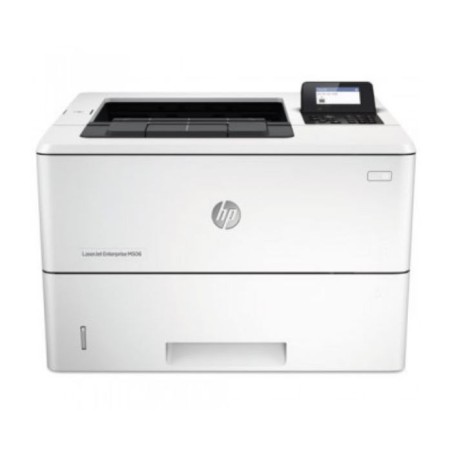
- Mono laser: ideal for text and volume; it usually optimises cost per page (depending on model).
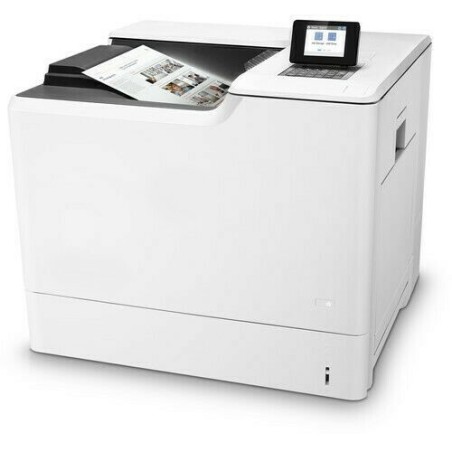
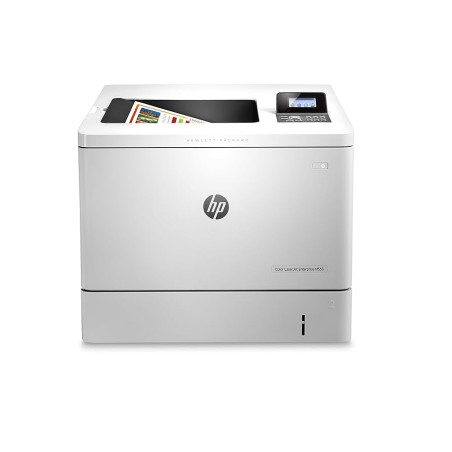
- Colour laser: useful if you print presentations or documents in colour; check consumables and cost (depending on the product page).
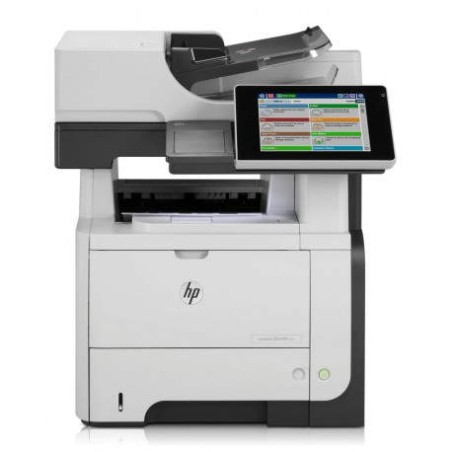
- Multifunction (MFP): print + scan + copy (and sometimes fax). For office use, it is usually the most versatile format.
- Volume and speed (ppm): match it to your actual workload. For shared printers, prioritise ppm and model robustness (depending on the product page).
- Automatic duplex: reduces paper use and saves time; key in business environments if you print double-sided.
- Connectivity: USB for a single workstation; Ethernet for a stable network connection; Wi-Fi if the model includes it and it suits your needs.
- Paper trays and ADF: tray capacity means fewer refills; ADF is useful for scanning/copying batches of pages (depending on model).
- Consumables cost: toner, drum/imaging unit, maintenance kits… check references and availability before deciding.
- Compatibility and drivers: confirm support for your operating system and whether you need PCL/PS, secure printing or network functions (depending on use).
- Dimensions and noise: in small offices, size and noise level matter more than they may seem.
Printers by use case
Small office (invoices, contracts, delivery notes)
If you mainly print text, a mono laser printer is usually efficient. Prioritise automatic duplex if you print long documents and Ethernet connectivity if several users will share it. If you need scanning and copying, choose a multifunction printer with ADF (subject to availability).
Shared business printer (multiple users)
For shared use, network connectivity (Ethernet), sufficient tray capacity and suitable print speed are important. If you print a lot, also check toner cost and whether the model is designed for office duty cycles (depending on the product page).
Professionals with frequent scanning (digitisation and archiving)
For digitisation, the key feature is the ADF (automatic document feeder) and the scanning quality/speed stated by the device. If your workflow is “scan first”, confirm that the multifunction printer has suitable network functions (depending on model).
Colour for business documents (presentations and internal materials)
If colour matters, a colour laser or colour multifunction printer may be suitable, but check consumables carefully: on some models, cost per page increases and may depend on the type of toner/drum. Decide based on the product page and your actual print volume.
Secure printing and control (corporate environments)
If you need user control, print queues and security, check whether the model offers network printing features, protocols and administration tools. Not all models include the same functions: confirm them on the product page before buying.
Benefits and trust
- Choose based on the product page: for printers, ppm, duplex, networking, trays and consumables vary by model; decide based on confirmed specifications.
- Limited stock: with refurbished/used products, there may be unique units and variable availability.
- Warranty: check the warranty stated on the product page (it may vary by unit).
- Financing: if available, it applies subject to conditions during the checkout process.
Frequently asked questions
Which printer is better for business: laser or multifunction?
It depends on your workflow. If you only print documents and want efficiency, a laser printer (especially mono) is usually practical. If you also need scanning and copying, a multifunction printer saves equipment and time. Check the product page to see whether it includes ADF, duplex and network connectivity, as these vary by model.
What should I look for in a shared network printer?
Prioritise Ethernet for a stable connection, sufficient tray capacity and print speed (ppm) appropriate for the number of users. If you print double-sided, automatic duplex reduces paper use and queues. Also check driver compatibility and any management features stated on the product page.
What is automatic duplex and why does it matter?
Automatic duplex allows you to print on both sides of the paper without manually turning the sheets over. In an office, it reduces paper use and saves time, especially when printing at volume. Not all models include it, so it is worth confirming on the product page before buying.
What does ADF mean on a multifunction printer?
ADF stands for automatic document feeder: it allows you to scan or copy several pages in sequence without placing them one by one. If you regularly digitise or copy batches, an ADF is almost essential. Check the product page to see whether the printer has an ADF and whether it supports duplex scanning (where applicable), as this varies by model.
How do I calculate the real cost: consumables and maintenance?
In addition to the printer price, check which consumables it uses: toner, drum/imaging unit and, on some models, maintenance kits. Ideally, identify the references and page yields to estimate cost per page. If the product page does not detail consumables, treat them as “subject to availability” and confirm before buying.
Do refurbished printers work with Windows and macOS?
It depends on the model and driver support. Before buying, check the product page or the manufacturer’s documentation for compatibility with your operating system and connection type (USB/network). In business environments, the printer language (for example PCL/PS) may also matter if you use specific software.
What should I check on a refurbished printer before buying?
Check the type (laser/multifunction), ppm, duplex, connectivity (Ethernet/Wi-Fi if applicable), trays and ADF (if you need it). Also check what is included (cables, trays, consumables) and the stated warranty. If any key information is missing, prioritise complete product pages or ask before completing the order.
Colour or mono laser for the office?
If most of your documents are text, a mono laser printer is usually more efficient and simpler in terms of consumables. If you need colour for business or internal documents, consider a colour laser printer, but check consumables cost and your actual print volume. The right choice depends on your use and what is stated on the model’s product page.
You may also be interested in