Refurbished Apple iMac for home, office and editing
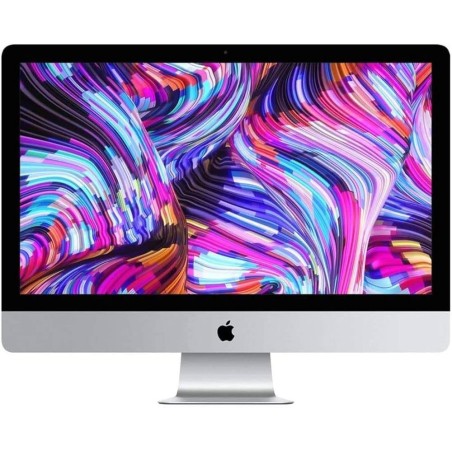
A refurbished Apple iMac is a practical option if you are looking for a desktop machine with a built-in screen, a tidy workspace and good performance for everyday use, the office or creative tasks. In this category you can compare iMac models subject to availability, reviewing the real configuration in each listing: screen, processor/chip, RAM, SSD storage, connectivity, condition/grade and warranty. The key to getting it right is to choose by use and not just by design.
How to choose your refurbished iMac
- Define your main use: you do not need the same configuration for office work, video calls and browsing as for photo or video editing.
- Check the screen size: consider the diagonal and resolution according to the space on your desk and the type of work (subject to availability).
- Review the processor or Apple chip: the product listing shows the specific generation or chip; give it priority if you use demanding software.
- RAM (memory): 8 GB can suit basic use; 16 GB is usually a balanced baseline; more memory helps with multitasking and editing.
- SSD: go for models with an SSD for better overall smoothness, faster start-up and a better response when opening programs.
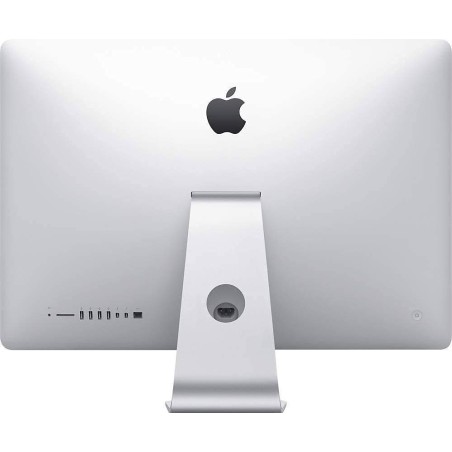
- Ports and connectivity: confirm USB, Thunderbolt/USB-C, video output (where applicable), Wi-Fi and Bluetooth according to the specific model.
- Accessories and keyboard: check whether a keyboard/mouse is included and the keyboard type stated in the listing (language/layout, where specified).
- Condition and warranty: compare the cosmetic grade and the warranty stated on each product before deciding.
iMac by type of use
For home and study
If you want a comfortable machine for browsing, studying, video calls and office tasks, a refurbished iMac can be a great fit thanks to its all-in-one format. Look for a balanced configuration with an SSD and enough memory for multitasking. The built-in screen also reduces cables and simplifies your desk.
For business and front-desk positions
At reception, in administration or in private offices, the iMac offers a clean installation and a visually tidy workstation. Give priority to stable configurations, suitable connectivity and enough capacity for the applications you normally use. If you work with peripherals, review ports and compatibility in the product listing.
For creative editing and design
For photography, graphic design or light-to-medium video editing, it is important to review the RAM, the storage and the chip/processor carefully. If your workload is more demanding, compare configurations with more memory and a higher-capacity SSD. The final decision should be based on the software you use and on the specific product listing.
For remote work with a minimalist desk
The iMac is a good option if you value a clear workspace: screen and computer in a single device. Before buying, confirm the camera, audio, connectivity and whether the model includes accessories. To improve ergonomics, you can complete the workstation with an additional monitor or external peripherals according to the way you work.
Benefits and confidence
- All-in-one format: fewer cables and a tidier desk than a separate tower and monitor.
- Clear comparison by listing: you can assess screen, RAM, SSD, connectivity and the condition of the machine before buying.
- Variable stock: as these are refurbished/second-hand units, models and configurations change according to availability.
- Warranty per product: always review the exact warranty in the listing of the iMac you choose.
- Buy for your actual use: choose according to your tasks (office, study, editing) to balance budget and performance.
What to review in the listing before deciding
Before buying your refurbished iMac, review these points in the product listing: exact model, year (where stated), chip/processor, RAM, SSD capacity, ports, condition/grade, included accessories and warranty. If a detail is missing, treat it as Pending and decide on the basis of confirmed information.
Frequently asked questions
Which refurbished iMac suits me for home or work?
It depends on your use. For office work, study and browsing, go for a balanced configuration with an SSD and enough RAM. For editing or more demanding multitasking, look for a better processor/chip, more memory and more storage capacity. The right choice should always be based on the listing of the specific model.
How much RAM do I need in a refurbished iMac?
As a general reference, 8 GB can be enough for basic tasks, while 16 GB is usually more comfortable for multitasking and heavy daily use. If you work with design, photography or video, consider more memory according to the software you use and the configuration available.
Is it important for the iMac to have an SSD?
Yes, an SSD usually gives a clear improvement in smoothness: system start-up, opening programs and overall response. If you need more space, review the capacity stated in the listing and choose according to your real use (documents, photos, editing and so on).
Is a refurbished iMac suitable for photo or video editing?
It can be, but it depends on the model and its configuration. For editing, pay particular attention to RAM, chip/processor and storage. If you work with heavy projects, compare several options and give priority to higher configurations according to availability and the requirements of your software.
Can I connect a second monitor to the iMac?
In many cases yes, but you should check it in the listing of the specific model. Review the available ports (for example Thunderbolt/USB-C or others) and compatibility with the resolution you need. If you are going to work with several screens, this point is key before buying.
Does the iMac include a keyboard and mouse?
Not always. Some products may include accessories and others do not, depending on availability. Before buying, review the listing to confirm whether a keyboard, mouse and other items are included, and also check the keyboard type if the language/layout matters to you.
What warranty does a refurbished iMac have?
The warranty can vary by product. That is why it is worth always reviewing the listing of the specific iMac you are going to buy. If the exact warranty does not appear in the listing, treat it as pending information before making your final decision.
What is the difference between a refurbished iMac and an unchecked second-hand one?
The main difference lies in the inspection process and in the information given in the product listing. With a refurbished machine, the unit normally arrives with a defined technical description and condition. Even so, always compare the configuration, condition and warranty of each unit before buying.
You may also like